
I work on People by Sniff, which is one of the options below. Every claim about other products links to that company’s own pages, checked on October 19, 2026. Prices change, so check before you buy.
What TeamLink is
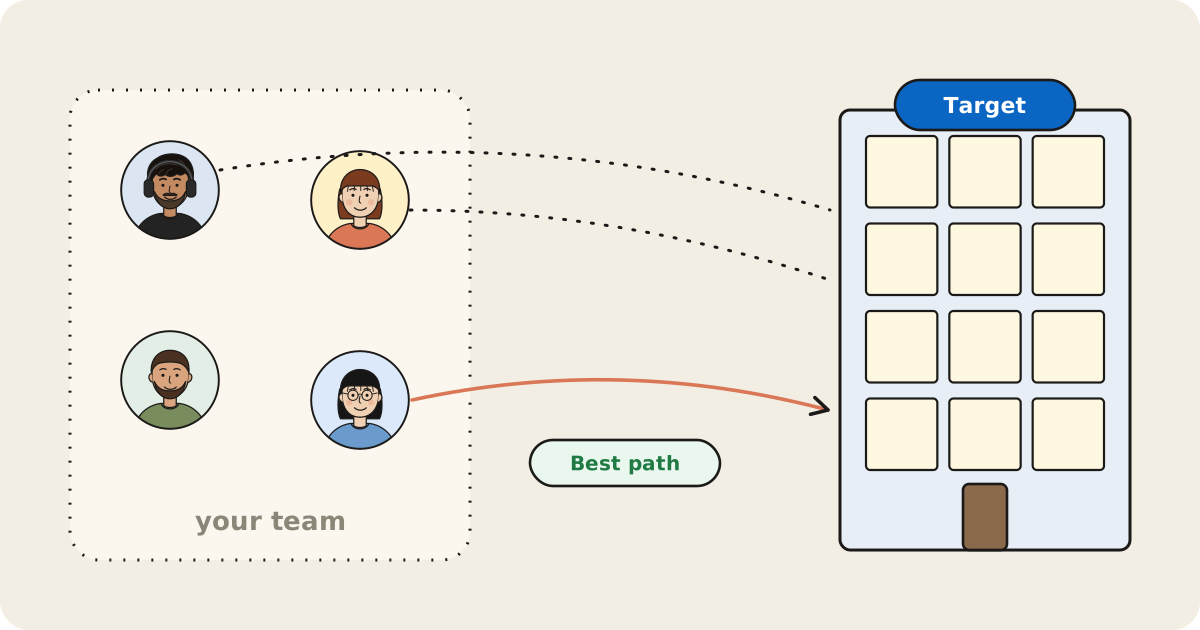
TeamLink is a Sales Navigator feature that flags leads who are 1st-degree LinkedIn connections of someone at your company, so you can ask that coworker for a warm introduction. Your teammates see your connections the same way. In lead search you can filter by “TeamLink connections,” narrow to Director-level and above, or look up the TeamLink connections of one person.
A few related pieces matter if you’re evaluating it:
- TeamLink Extend adds colleagues without a Sales Navigator license. An admin assigns them in LinkedIn Admin Center and each colleague accepts an email invitation.
- TeamLink Groups combines networks across multiple Sales Navigator contracts, and LinkedIn says it’s bought through a sales rep.
- Settings. TeamLink is on by default, admins can switch it off, and any user can opt out, which removes their connections from the team’s network.
Which plans include it, and what they cost
LinkedIn’s plan comparison lists TeamLink and TeamLink Extend on Advanced and Advanced Plus, not Core. On the pricing page, per license:
- Core: $119.99 a month or $1,079.88 a year. No TeamLink.
- Advanced: $159.99 a month or $1,799.88 a year. Includes TeamLink.
- Advanced Plus: priced on request. Includes TeamLink.
Core and Advanced have free trials if you haven’t had a paid LinkedIn subscription or a LinkedIn trial in the past year.
Its limits
- Everyone searching needs Advanced. Extend lets unlicensed colleagues contribute connections, but it still sits on an Advanced or Advanced Plus contract.
- It’s a 1st-degree signal. LinkedIn describes TeamLink as showing that a coworker is connected to a lead. Its help pages don’t describe a measure of how well that coworker knows them, so you still have to ask.
- LinkedIn only. Relationships that live in email, calendars or past deals don’t count.
- Filters, not questions. You build searches with filters rather than asking something like “who on our team knows a fintech CFO?”
If your team already pays for Advanced and does its prospecting inside Sales Navigator, TeamLink is included and staying put is usually the right call. The options below fit better when you don’t want a seat for every rep, or you want more than a yes/no on whether someone is connected.
Free ways first
Shared connections on LinkedIn. Open the target’s profile and LinkedIn shows connections you share; you can also find them under the People tab in search. Members can hide their connections, and it only covers your own network, one person at a time.
Ask in Slack. Post the company and the person in a team channel: “Anyone know someone at Acme? Trying to reach their VP of Finance.” It costs nothing and catches relationships no tool sees, like a former manager or a neighbor. It depends on people reading the channel and remembering who they know.
Pool your exports. Each teammate can download their connections from LinkedIn and you combine them in a spreadsheet. Emails only appear for connections who allow it, the sheet goes stale quickly, and everyone should agree before their contacts land in a shared file.
These work for a handful of accounts. For a list of 50, a tool saves the afternoon. See how sales teams use their LinkedIn network to book meetings for the workflow.
At a glance
| Tool | Best for | How it finds team paths | Free plan | Paid from |
|---|---|---|---|---|
| Sales Navigator (TeamLink) | Sales teams already on Advanced | Coworkers’ 1st-degree LinkedIn connections, by filter | Trial only | $159.99/mo (Advanced) |
| People by Sniff | Plain-English team search over LinkedIn networks | Teammates connect LinkedIn; one search names the teammate to ask | Yes (team search on Pro) | $99/mo or $990/yr, team included |
| The Swarm | Company-wide mapping for go-to-market teams | Team LinkedIn, email and calendar contacts plus its own dataset | Yes | $99/company/mo |
| Village | Team intros with funding data | Pooled email, calendar and LinkedIn plus public data, to 3rd degree | Yes (credits) | $1/seat/mo |
| Happenstance | Small groups sharing networks across email and social | Groups that search each other’s connected accounts | Yes | $24/seat/mo (Team) |
| Boomerang | Revenue teams that want intro asks routed for them | Calendars, work overlaps, alumni and board ties; opted-in LinkedIn uploads | No (7-day trial) | $80/mo billed yearly |
| Affinity | VC and PE deal teams | Firm-wide email and calendar activity, scored | No | $2,000/user/yr |
| Introhive | Professional services firms | Email, calendar and CRM data across the firm | No | Demo for pricing |
1. People by Sniff
People by Sniff indexes your LinkedIn connections with role, company, shared history and activity, and answers plain-English questions with a ranked list and the reason each person made it. On Pro, teammates’ networks combine into one search that names the teammate to ask. You can also upload a CSV of leads and see who can get you to each one, with emails and phone numbers. Your network stays private, and Sniff never messages anyone for you.
Pick it if you want TeamLink’s “who on my team knows them” without a Sales Navigator seat per rep, and you’d rather ask a question than build a filter. Skip it if most of your team’s relationships live in email and calendars rather than LinkedIn. More on the sales workflow in Sniff for sales.
2. The Swarm
The Swarm maps intro paths to a company from a domain, layering in your team’s LinkedIn and email contacts on top of its own people and company data. It integrates with HubSpot, Attio, Airtable and Clay. Pricing starts free with a combined network; Premium is $99 per company per month with a 14-day trial.
Pick it if you’re a go-to-market team that wants relationship data for the whole company, fed into your CRM.
3. Village
Village calls itself “relationship intelligence for teams.” It pools teammates’ email, calendar and LinkedIn, adds public data, and maps paths down to 3rd-degree connections. Plans run on credits: free with 100 a month, Core at $1 per seat per month, and Business at $149 a month.
Pick it if your team raises money as well as sells, and you want investor and funding data next to intro paths.
4. Happenstance
Happenstance searches Gmail, Outlook, contacts, calendar, LinkedIn, X and Instagram, and lets you add friends and join groups to search each other’s networks. Its pricing page says sharing your network is always free; the Team plan is $24 per seat per month for unlimited use and one invoice.
Pick it if your team is small and informal, and many relationships live outside LinkedIn. See People by Sniff vs. Happenstance for a closer look.
5. Boomerang
Boomerang is built around an AI agent, Rudy, that finds a path into a target account through your employees, customers, investors and partners, then drafts the ask for the person who can make the intro. Per its product notes, it maps connectors from calendars, work overlaps, past employers and board seats, and opted-in “super connectors” can add their LinkedIn connections. The connector approves and sends every ask. Starter is $80 a month billed yearly for up to 3 users; CRM integrations start on Team at $600 a month.
Pick it if you want intro requests drafted, routed and tracked to a booked meeting, not just a list of paths.
6. CRM-side options: Affinity and Introhive
Affinity is “the CRM built for deal teams,” aimed at venture capital, private equity and banking. It captures email and calendar activity across the firm and scores relationship strength. Plans start at $2,000 per user per year.
Introhive serves professional services firms such as law, accounting and consulting. It pulls data from email, calendar and CRM and says it “uncovers who knows whom.” Pricing isn’t published; you book a demo.
Pick one if your firm’s relationships live in inboxes and a CRM, and you’re buying for the whole firm rather than a sales pod.
How to choose
- Already on Sales Navigator Advanced and prospecting there? Use TeamLink, and add Extend for colleagues outside sales.
- A few target accounts a month? Shared connections on LinkedIn and a Slack ask.
- Want to ask your team’s LinkedIn networks in plain English, or check a lead list at once? People by Sniff Pro.
- Mapping the whole company into your CRM? The Swarm or Village.
- Small team, relationships across email and social? Happenstance.
- Want the asks themselves routed and tracked? Boomerang.
- A deal or professional services firm on a CRM? Affinity or Introhive.
For a wider list, see the best tools to find warm intros on LinkedIn, and if you’re weighing a LinkedIn CRM, LeadDelta alternatives.
Sources
- LinkedIn: TeamLink overview, TeamLink Extend, TeamLink Groups, TeamLink admin settings, opt out of TeamLink, Sales Navigator plans (Help), compare plans, shared connections (Help), export connections (Help)
- The Swarm: homepage, pricing
- Village: homepage, pricing
- Happenstance: homepage, pricing
- Boomerang: homepage, product notes, pricing
- Affinity: homepage, pricing
- Introhive: homepage, Read Me
- All checked October 19, 2026.